A bad email is an elector email address that the voting system has recorded as undeliverable, or that the recipient has asked not to receive messages at.
To review and address these addresses, use the View button to open your election and navigate to the Bad Emails section. Affected electors are also flagged in the Electors section.
When you import your elector list into a draft election, some addresses may already be recorded as bad emails. This happens because the record follows the address itself, not the election. The address may have been flagged during a previous election run by your organization, or during an election run by another organization whose elector list included the same person.
Bad Email Types
There are four types of bad email. The type is recorded with each entry and tells you what went wrong, which determines whether the issue can be corrected and how.
Invalid Syntax
The address is malformed and cannot be delivered to for that reason. Examples include johnsmith@gmail instead of johnsmith@gmail.com, janehotmail.com instead of jane@hotmail.com, @outlook.com with no recipient before the @, and fernanda@.com with no domain after the @. Malformed addresses are detected when the elector list is imported, before any message is sent, so no delivery is ever attempted.
Bounce
A message was sent, and the recipient's mail server returned a notice that it could not be delivered. The most common reasons are that the mailbox does not exist (invalid recipient, user unknown, mailbox unavailable, email account not found), that the mailbox is full and cannot accept new messages, or that a private domain with strict spam rules throttled or rejected the message. A bounce does not always mean the address is wrong. The Details recorded with the entry contain the message returned by the recipient's mail server, so read them before deciding how to act.
Spam Report
The recipient marked a voting system message as spam. This can happen because they are tired of receiving reminders, because they dislike the organization sending the email, or by accident. The address itself is usually valid, and the elector can remove the entry themselves by re-subscribing, as described below.
Unsubscribe
The recipient clicked the unsubscribe link in a voting system message. Doing so signals that they do not want to receive any messages from the voting system at all. The address itself is usually valid.
Resolving or not resolving bad emails
How you handle bad emails is at your discretion, or at the discretion of your organization's leadership, council, or by-laws. Some organizations cut and freeze an elector list and accept whatever bad emails it contains for that election period. Others resolve issues as they arise, or proactively before voting opens. The right approach is usually a matter of governance rules, good faith, feasibility, and the time available.
Re-subscribing
An elector flagged as a Spam Report or an Unsubscribe can clear the entry themselves by sending an email message to resubscribe@simplyvoting.com from the flagged address. You cannot do this on their behalf, so if you determine that an elector wants to receive messages again, contact them and pass along those instructions.
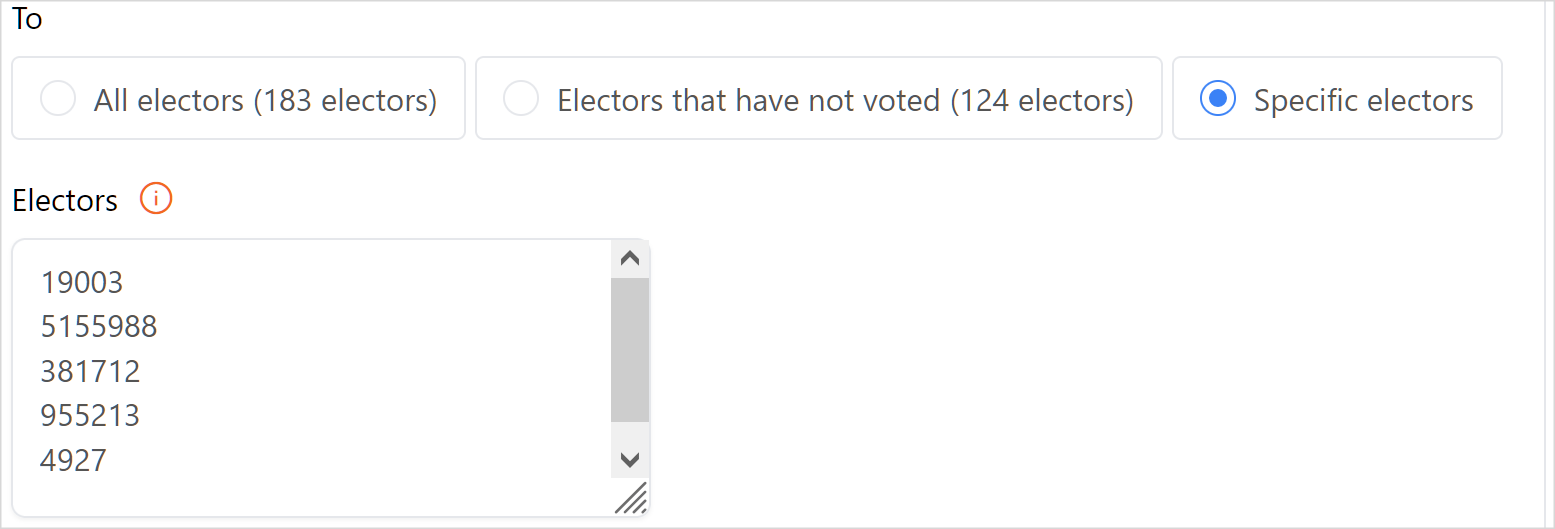
Once they re-subscribe, they are removed from the Bad Emails list. You can then send them an email blast addressed to specific electors, or leave them to be picked up by any future reminder sent to electors who haven't yet voted.
Searching, Filtering, and Downloading Bad Emails
The Bad Emails section lists every affected address in your election. Search for a full address (e.g. fcastro@example.com) or a partial address (e.g. @outlook.com) to filter the list by your search terms. Use the dropdown menu next to the search field to filter by Type.
Every bad email record shows the Timestamp of when the record was generated, the Email Address concerned, the Elector ID of the elector, and the Type of bad email. Bounce entries also include Details, which hold the message returned by the recipient's mail server.
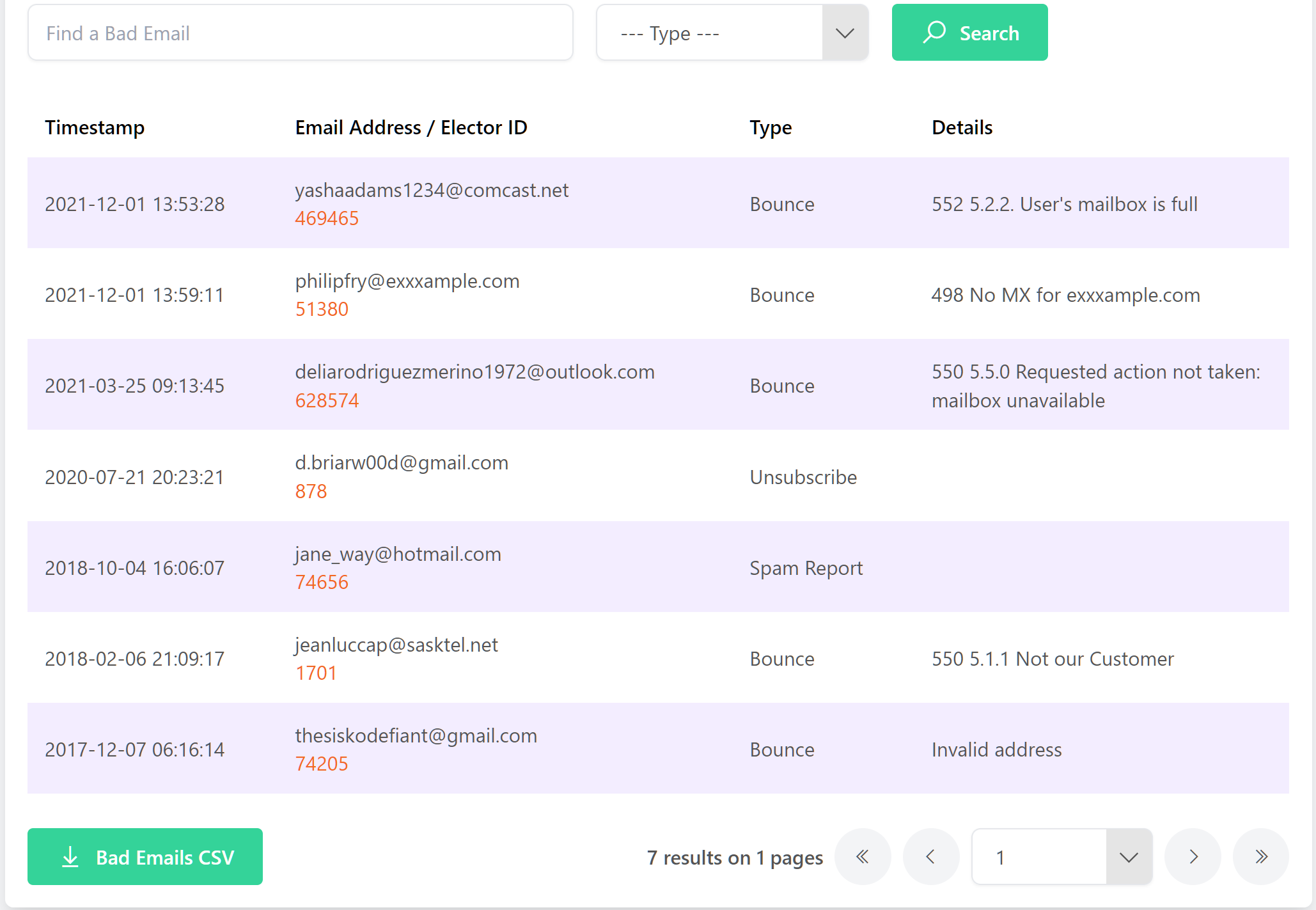
To download the list as a CSV file and work with it in spreadsheet software, click the Bad Emails CSV button.
Email service providers report bounces on their own schedules. The Bad Emails list updates immediately for some providers, while others can take up to 72 hours. The absence of a bad email record is not an indication that a message was delivered successfully.
Bad Emails in the Electors Section
Bad emails are flagged in the Electors section as well as in the Bad Emails section. This lets you identify affected electors while working directly with the elector list, instead of moving back and forth between the two sections. The Bad Emails section remains the place to see the full list, the type, and the details.
Beneath the Find An Elector search field, select the Bad email only checkbox to restrict your results to electors whose email address is currently on the Bad Emails list. Leave the search field empty and click Search to return every elector with a bad email address, or enter a full or partial address (e.g. @outlook.com) to narrow the results further. The checkbox stays selected across searches until you clear it.
.png)
In the Email Address column, a warning icon appears to the right of any address that is currently on the Bad Emails list. Hover over the icon to display the message This email address is on the Bad Emails list.
.png)
The checkbox and the warning icon read from the same data as the Bad Emails section, so the provider timeframes described above apply here too. An address may not be flagged in the Electors section until the elector's email service provider has reported the issue.
Updating Electors with Bad Emails
To correct an elector's email address from the Bad Emails section, click the orange Elector ID link in the Email Address / Elector ID column. This opens the elector's record.

You can also open the record directly from the Electors section by clicking the blue Edit Elector button in the Action column.
Enter the corrected address, then click Edit to update the record. This removes the bad email record from the Bad Emails list for this election, and the warning icon no longer appears beside the elector in the Electors section. Repeat as necessary for each elector you are able to correct.
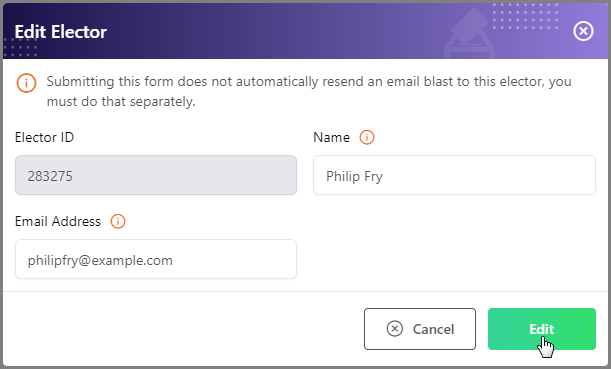
Correcting the address resolves the record for this election only. The original address remains flagged, so if it is imported again in a future election it will be recorded as a bad email again.
Once you have corrected any bad emails, return to the Email Blast section to send those electors their credentials. Choose to send to specific electors to reach only the addresses you corrected, or send a reminder to electors that have not voted, which automatically includes every elector with an updated email address.